Help & Guides / Step-by-step guide
Send files to your client
Upload finished files to a project's delivery and email your client the private link to them.
- Menu
- Office › Work › Field › DSP
- Direct link
- skysuite.pro/office/work/field/dsp
- Level
- Basic
- Length
- 7 steps, about 3 minutes. Stop 5 of 6 on the Basic Start here path
-
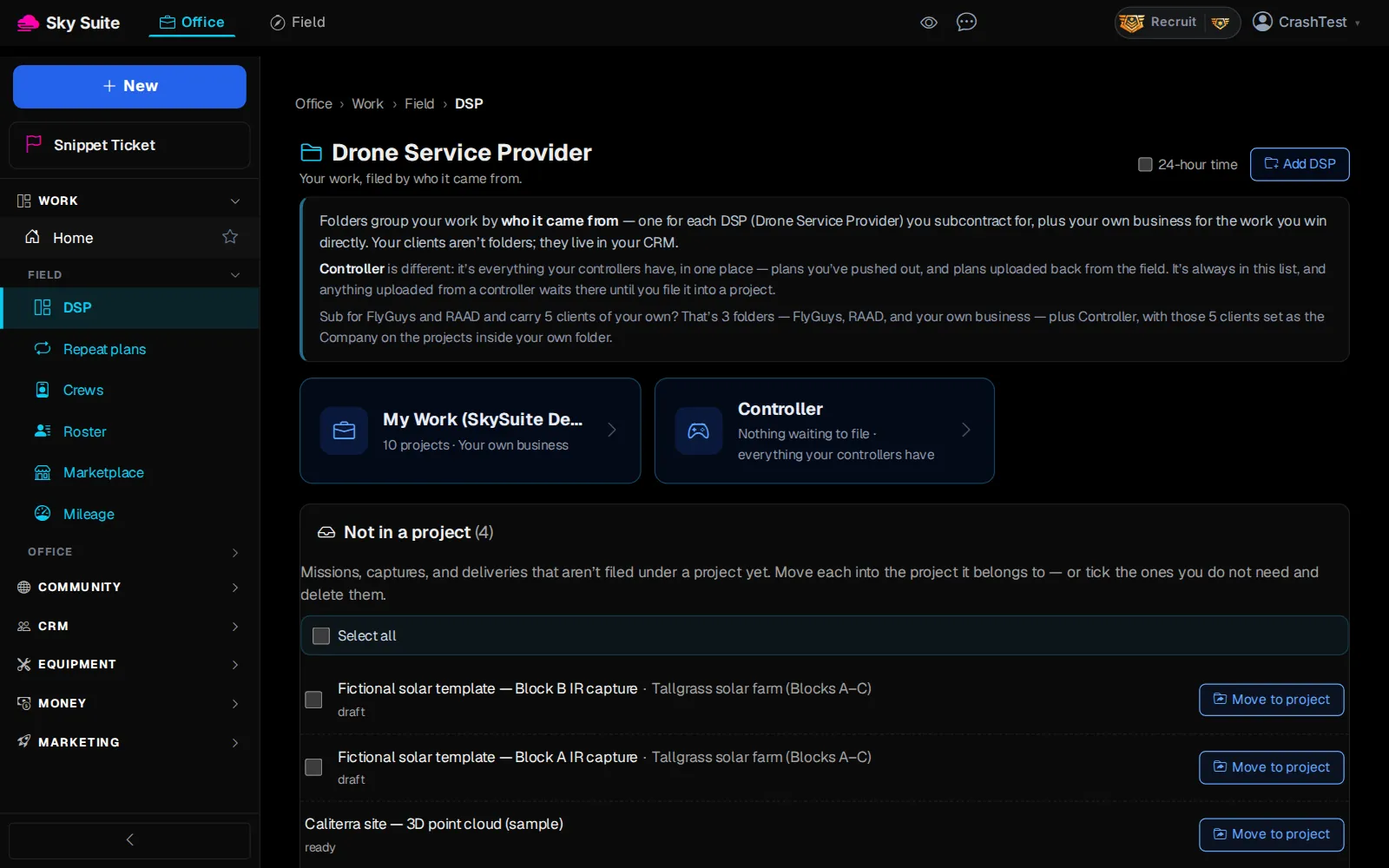
Step 1: In the left menu, under “Work” › “Field”, click “DSP”.
OpensThe “Drone Service Provider” page, with your folders.
-
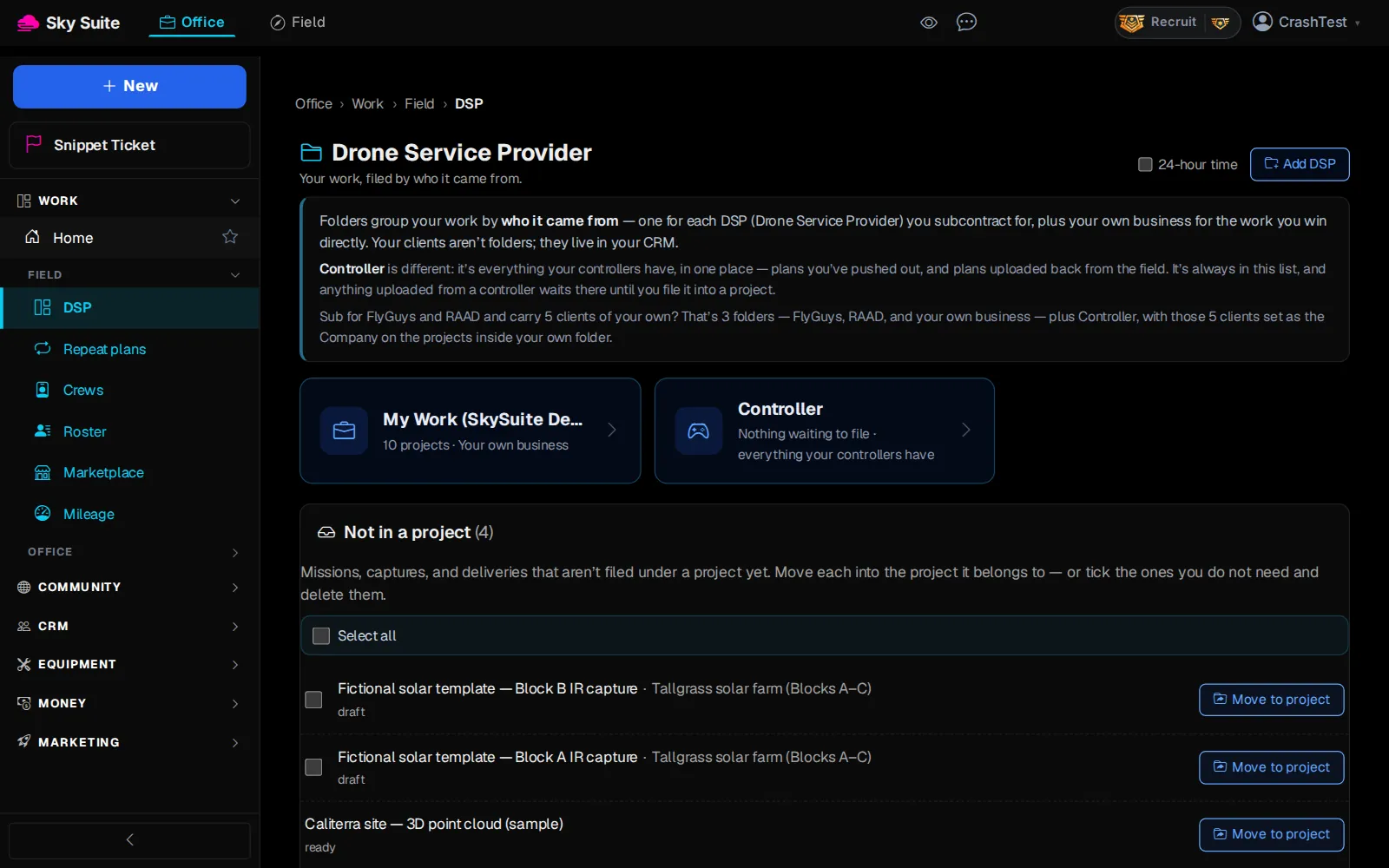
Step 2: Click your own business folder. It is named after your business, for example “My Work (SkySuite Demo)”.
OpensThe “Projects” list in that folder.
-
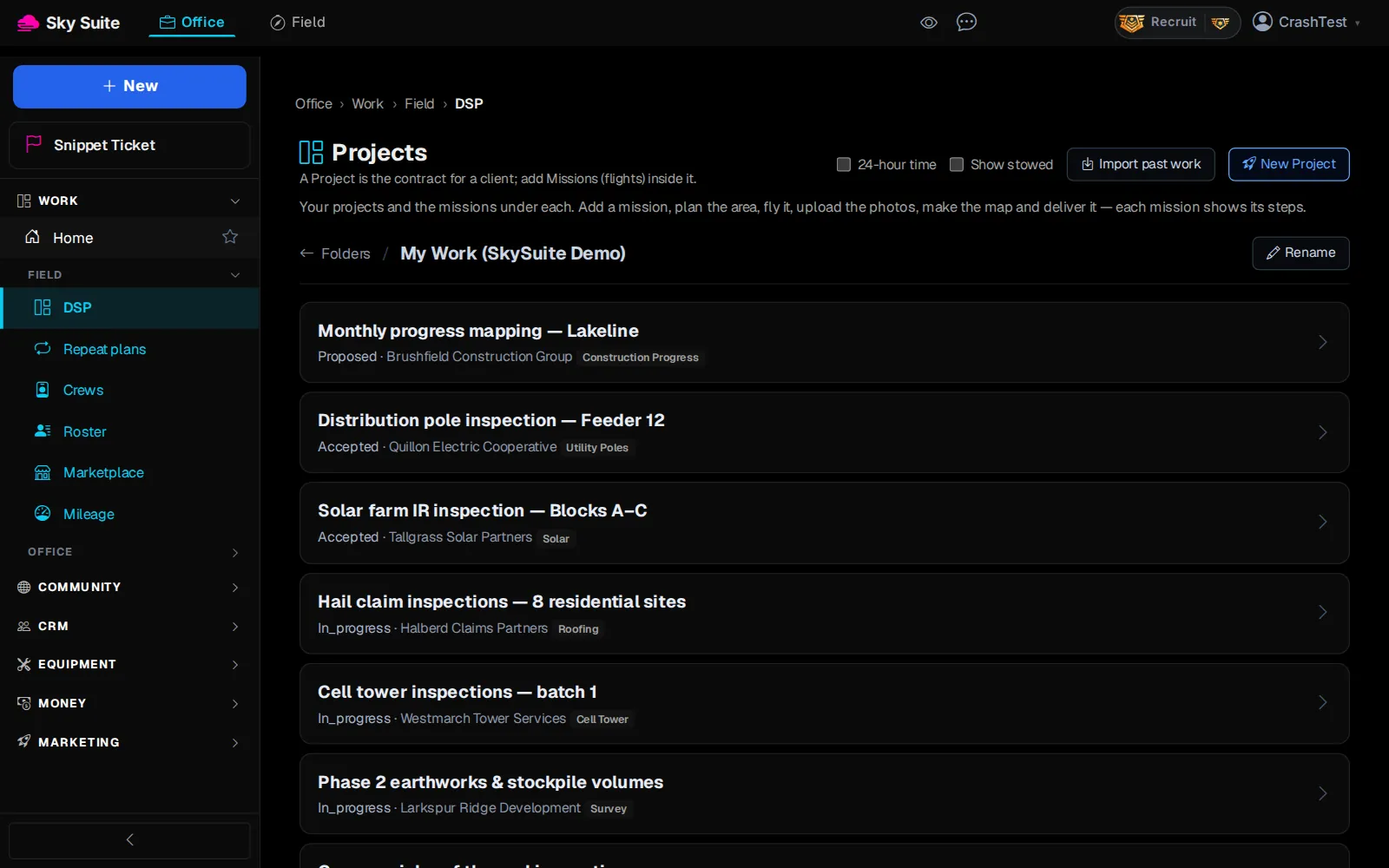
Step 3: Click the project's name, for example “Phase 2 earthworks & stockpile volumes”.
OpensThe project page.
-
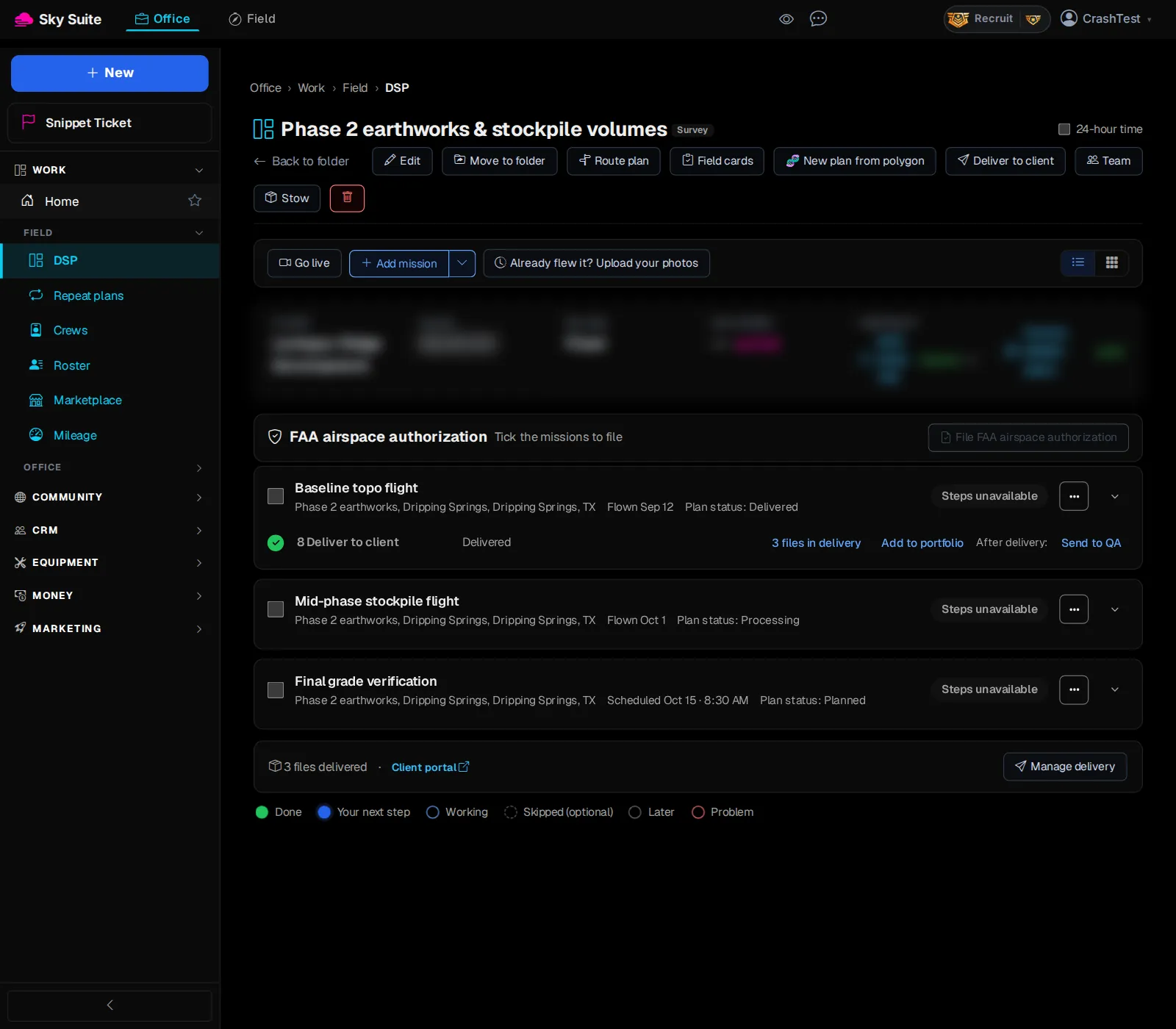
Step 4: In the delivery box at the bottom of the project, click “Manage delivery”. No “Manage delivery” yet? Click “Deliver to client” at the top of the project, then “Set up client portal”.
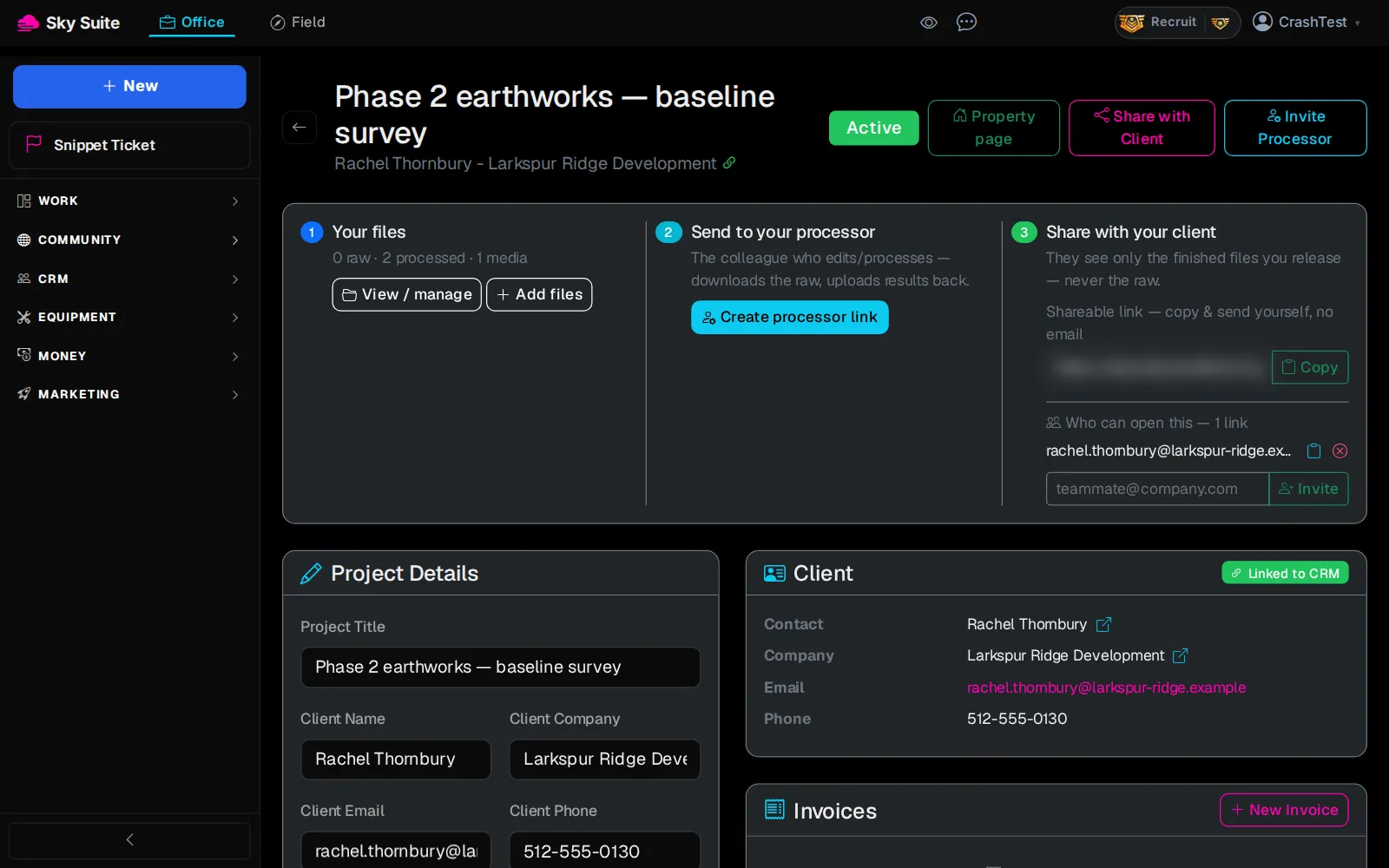
OpensThe delivery page, with three boxes: “Your files”, “Send to your processor” and “Share with your client”.
-
Step 5: In the “Your files” box, click “View / manage”.
OpensThe “Upload & files” page.
-
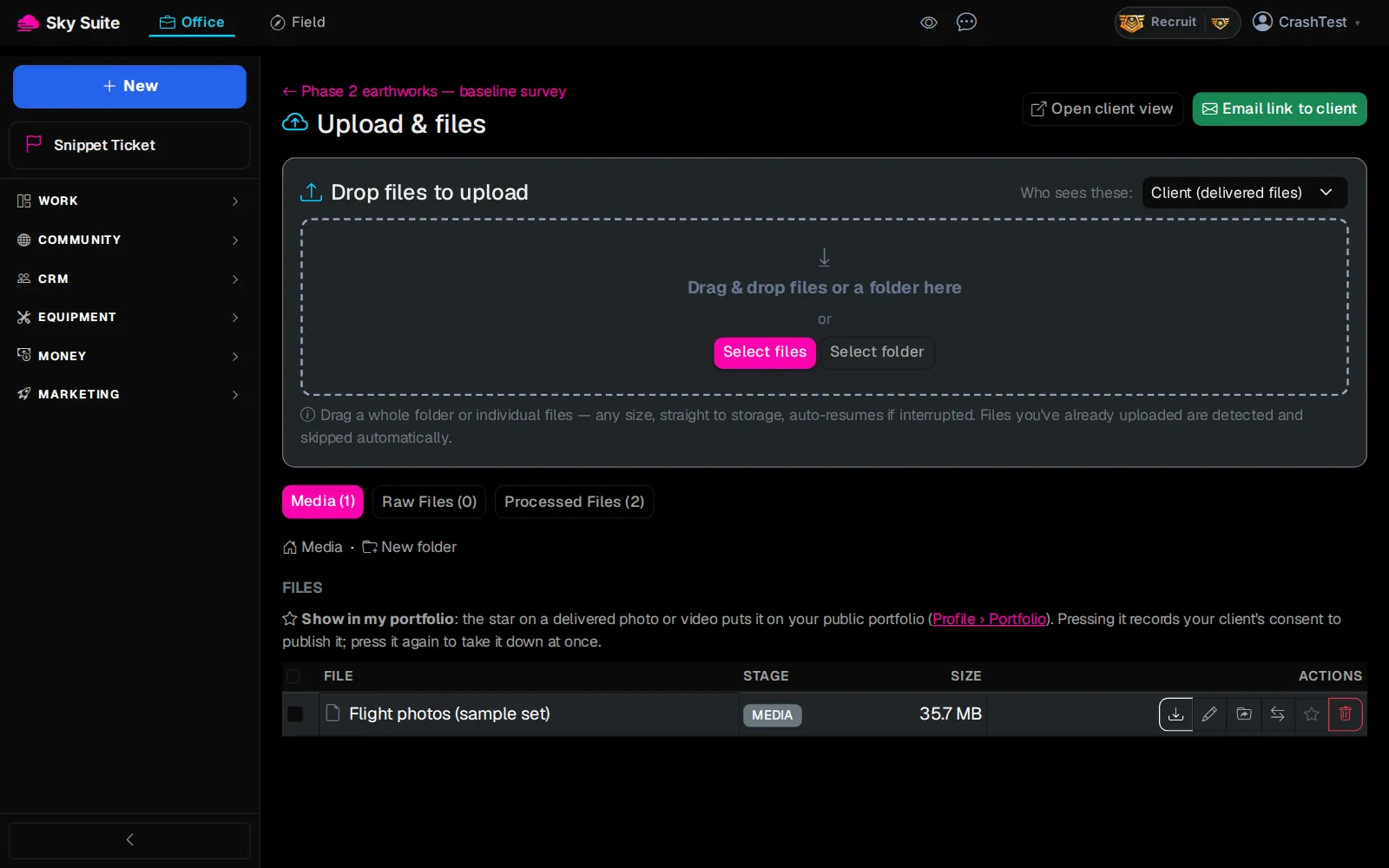
Step 6: In the “Drop files to upload” box, check that “Who sees these:” says “Client (delivered files)” (marker 1), then click “Select files” (marker 2) and pick your files. You can also drag a whole folder onto the box.
OpensNothing new: your files upload and are listed under “Files”.
-
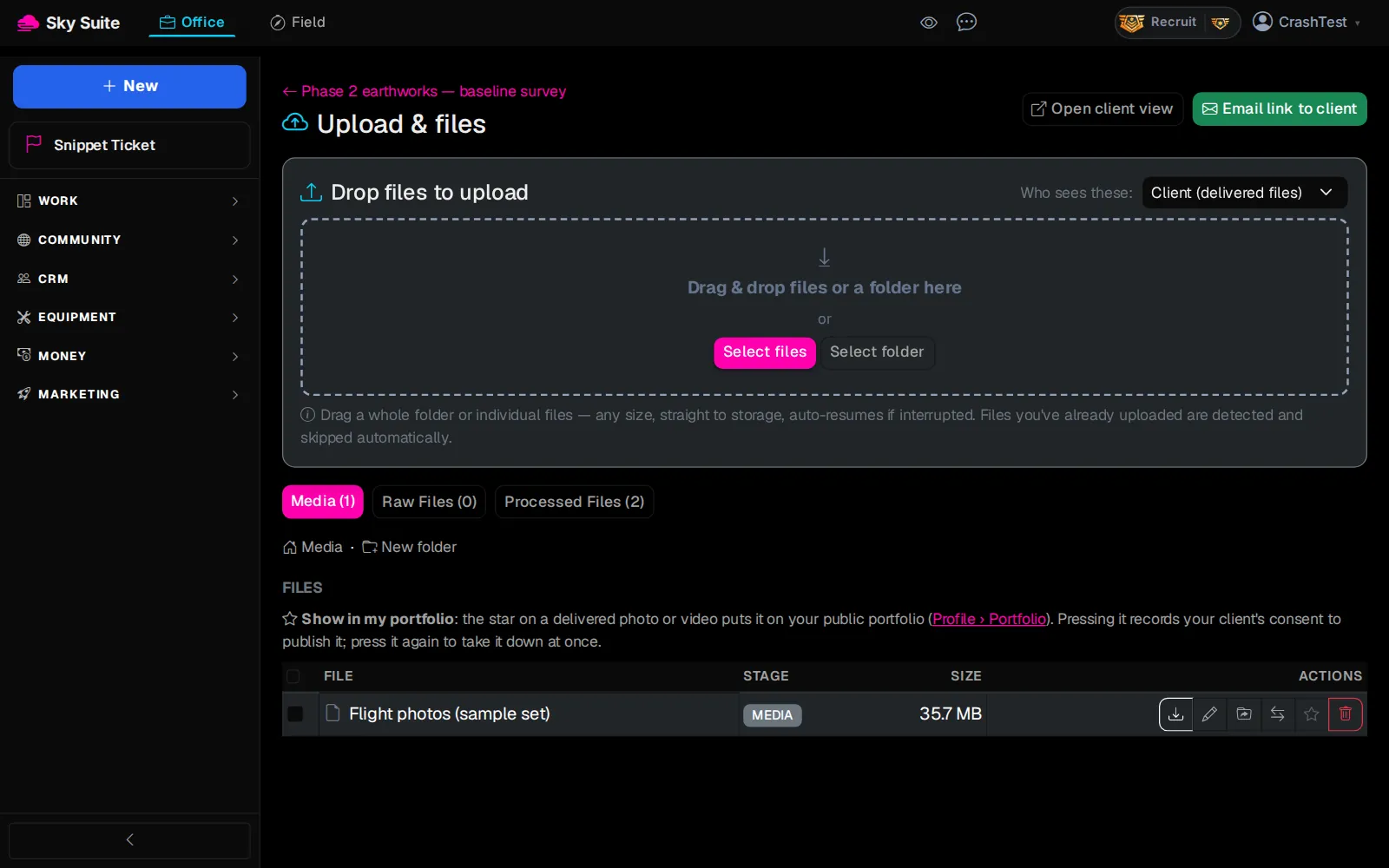
Step 7: At the top right, click the green “Email link to client”.
OpensNothing to open: SkySuite emails your client the private link to their files. They need no login.
Next on Start here: Create and send an invoice
To see exactly what your client sees, click “Open client view” next to the green button. More about the client’s side: Delivering to Your Client.