Mapping

Mapping and 3D deliverables from your photos

Upload your photos, choose a processing run, and share the resulting survey products with your client. Every picture on this page comes from one real job, a construction site in Costa Mesa, California.

Processing

From 1,077 photos to one map

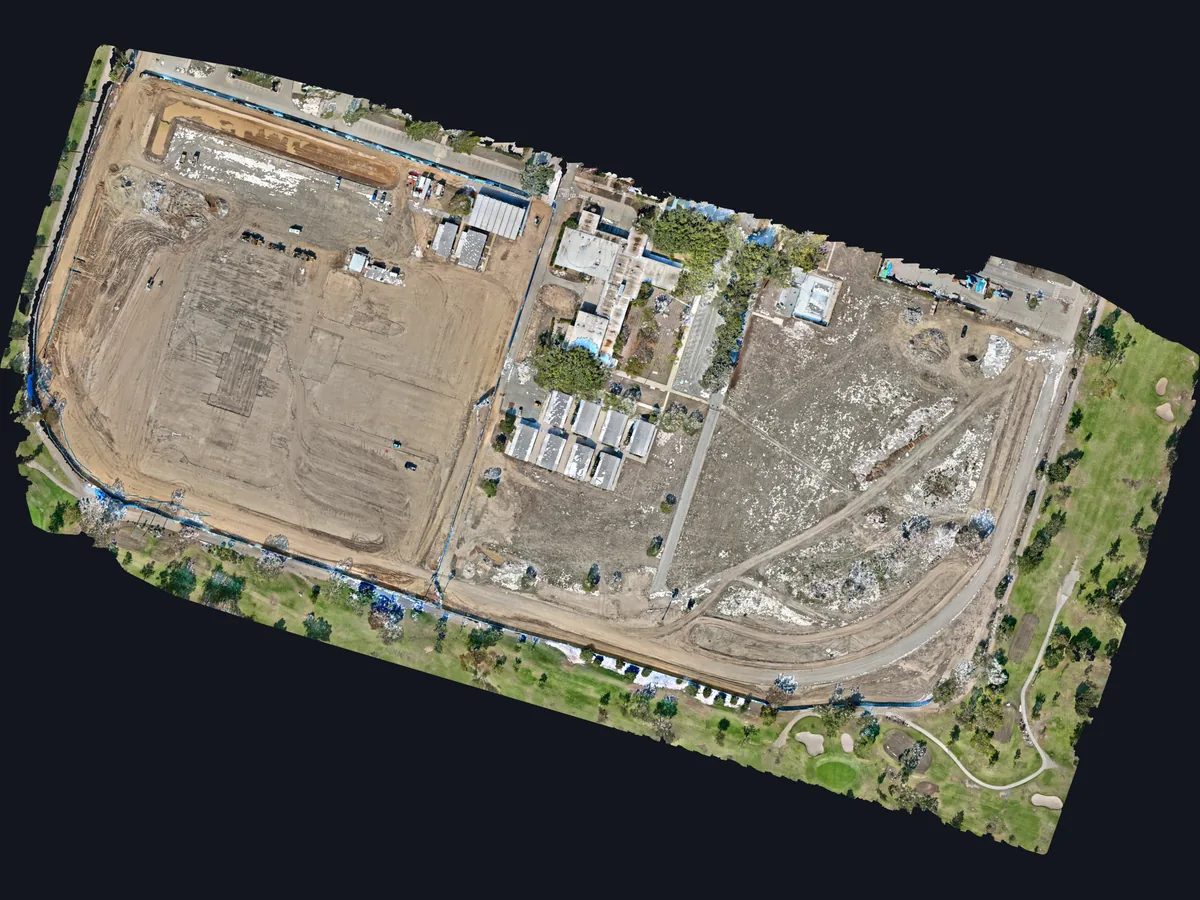
Upload the photos from your card, choose the processing options and follow the run. SkyPLX-9 turned this Costa Mesa site, 1,077 photos from a DJI Matrice 4E tied to ground control points, into one map of about 61 acres.

  • Photo upload
  • Ground control points and RTK
  • Processing progress
Orthomosaic of a 61-acre Costa Mesa, California construction site, processed by SkyPLX-9 in SkySuite from 1,077 drone photos.

Orthomosaic

Every truck, trailer and stockpile in view

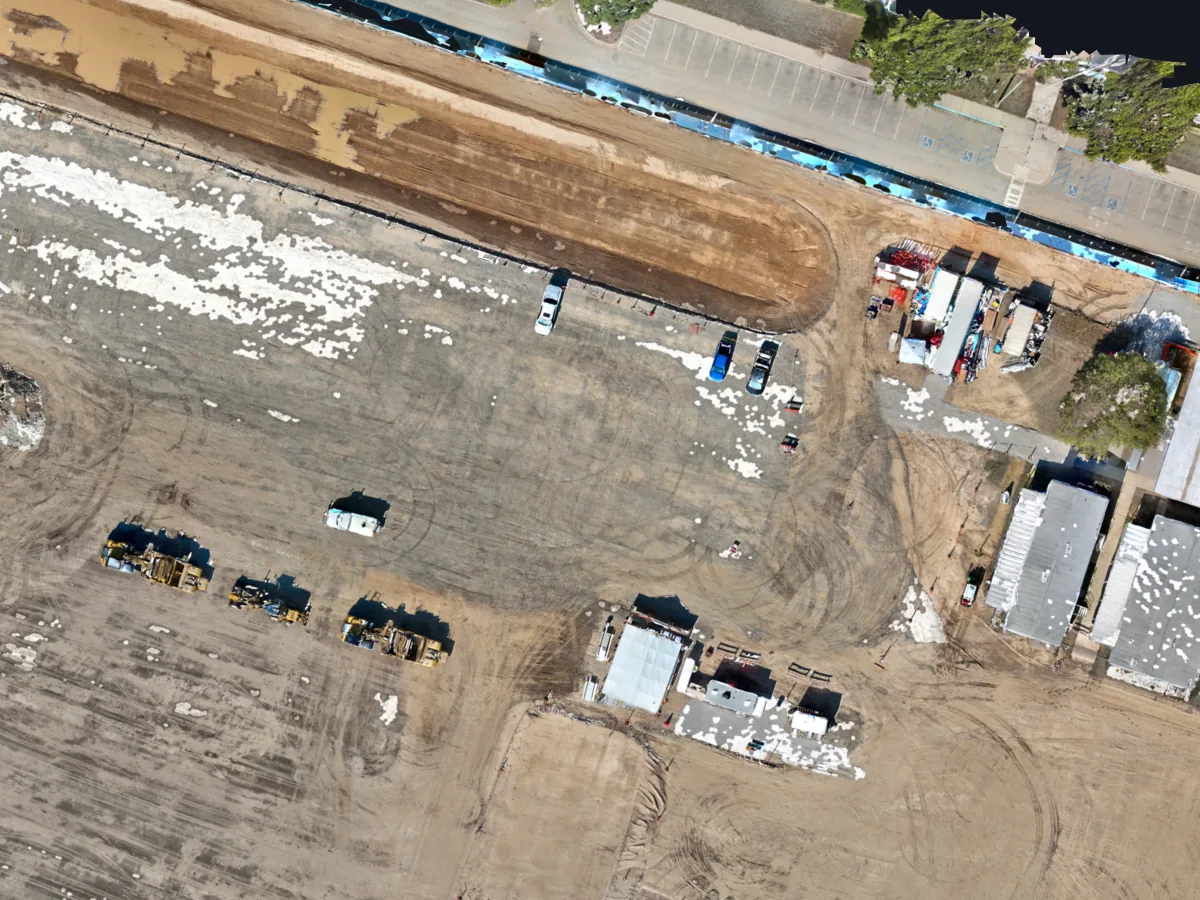
The orthomosaic is one measured image of the whole site. Zoom in to see the equipment and the work pad, and measure distances and areas on it.

  • GeoTIFF orthomosaic
  • Distance and area tools
Close-up of the Costa Mesa orthomosaic: graded work pad with earthmovers, parked trucks, site trailers and buildings, sharp enough to pick out each vehicle.

Contours

Contours at the interval you pick

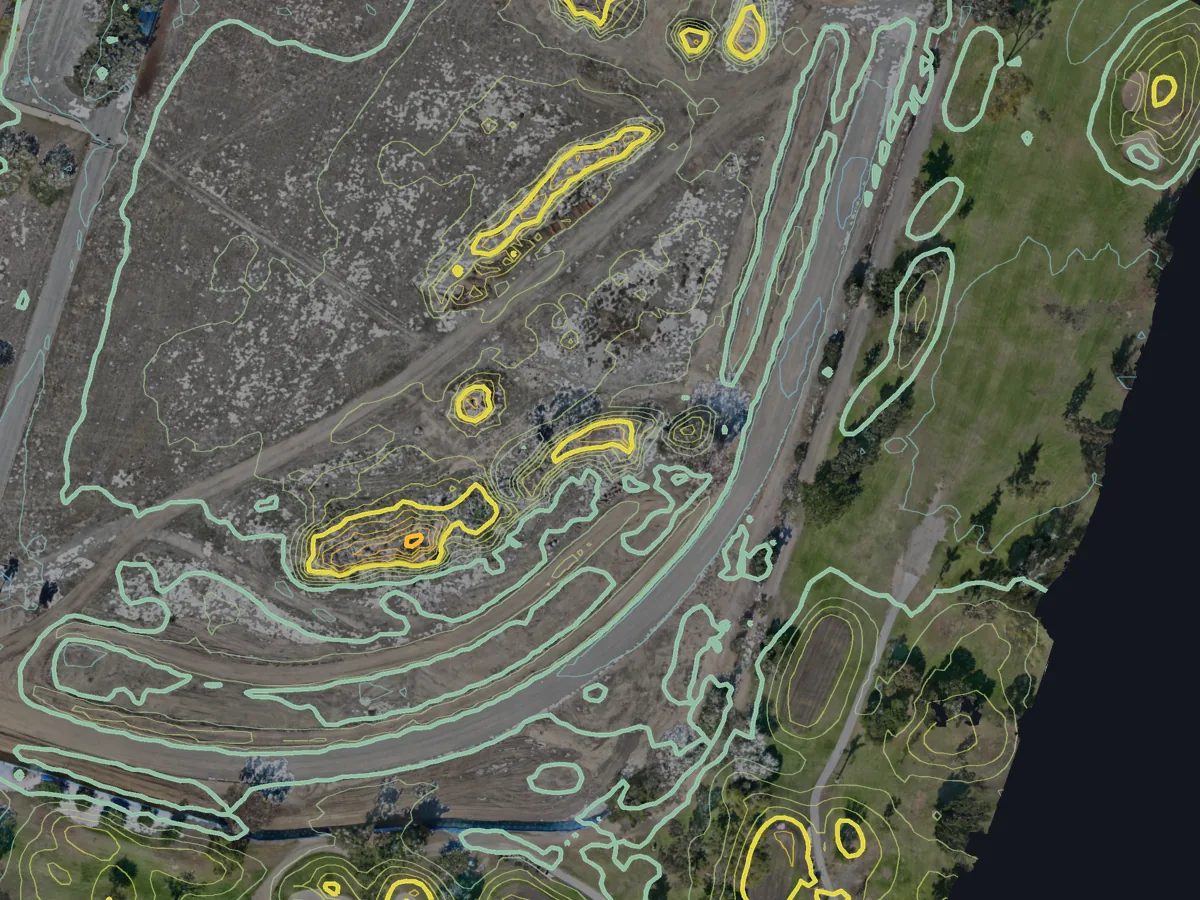
Contours are drawn from the ground surface at the interval you choose, from half a foot to 10 metres. Here they are at 1 ft, ringing the stockpiles. Open them in the browser or export them to CAD as DXF.

  • 0.5 ft to 10 m intervals
  • DXF export for CAD
Part of the Costa Mesa site with 1 ft contours over the orthomosaic, tightly ringed around two stockpiles and along the haul road.

Elevation

Surface and terrain models

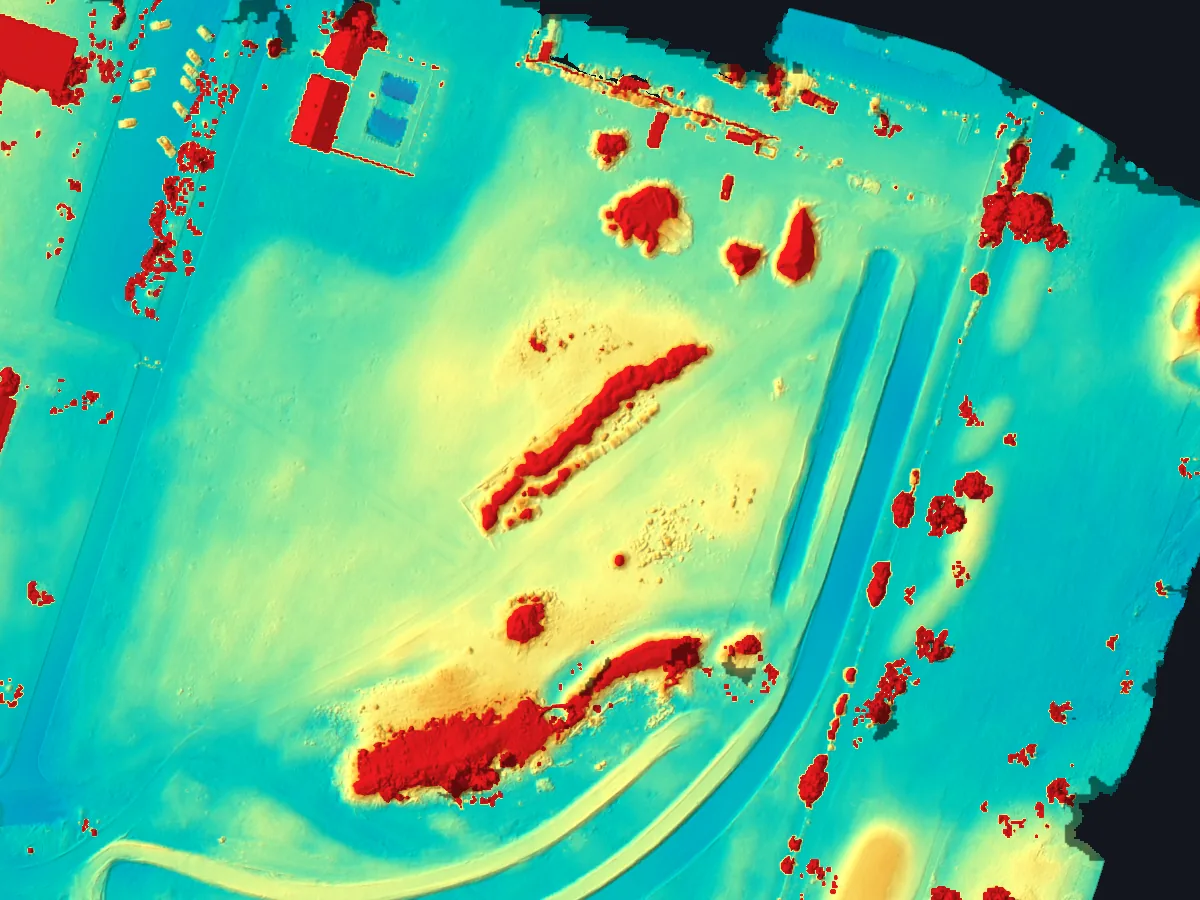
The elevation model shows the height of everything on site in color, so stockpiles, berms and buildings stand out at a glance. Download the surface (DSM) and bare-earth (DTM) models as GeoTIFF.

  • DSM and DTM
  • GeoTIFF export
Color elevation model of the Costa Mesa site: low ground in blue and green, stockpiles and berms in yellow and red, with shaded relief.

Point cloud

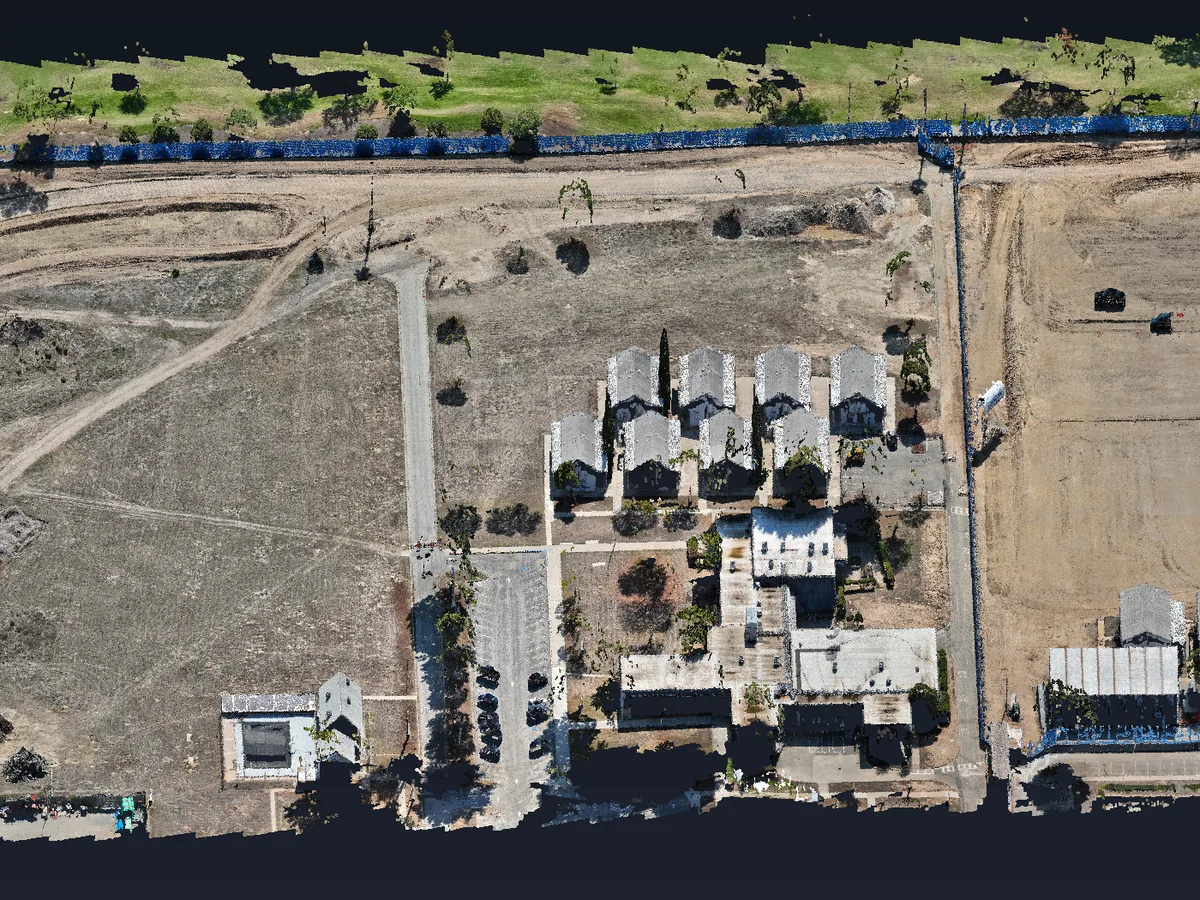
The whole site in 3D

The same run builds a colored point cloud of about 300 million points for this site. Open it in 3D in the browser, or download it as LAZ for your CAD and GIS tools.

  • Colored point cloud
  • LAZ download
  • 3D model as OBJ
Oblique 3D view of the Costa Mesa point cloud: buildings, the site fence, haul roads, stockpiles and the golf course next door, in true color.

Client portal

Share maps for client review

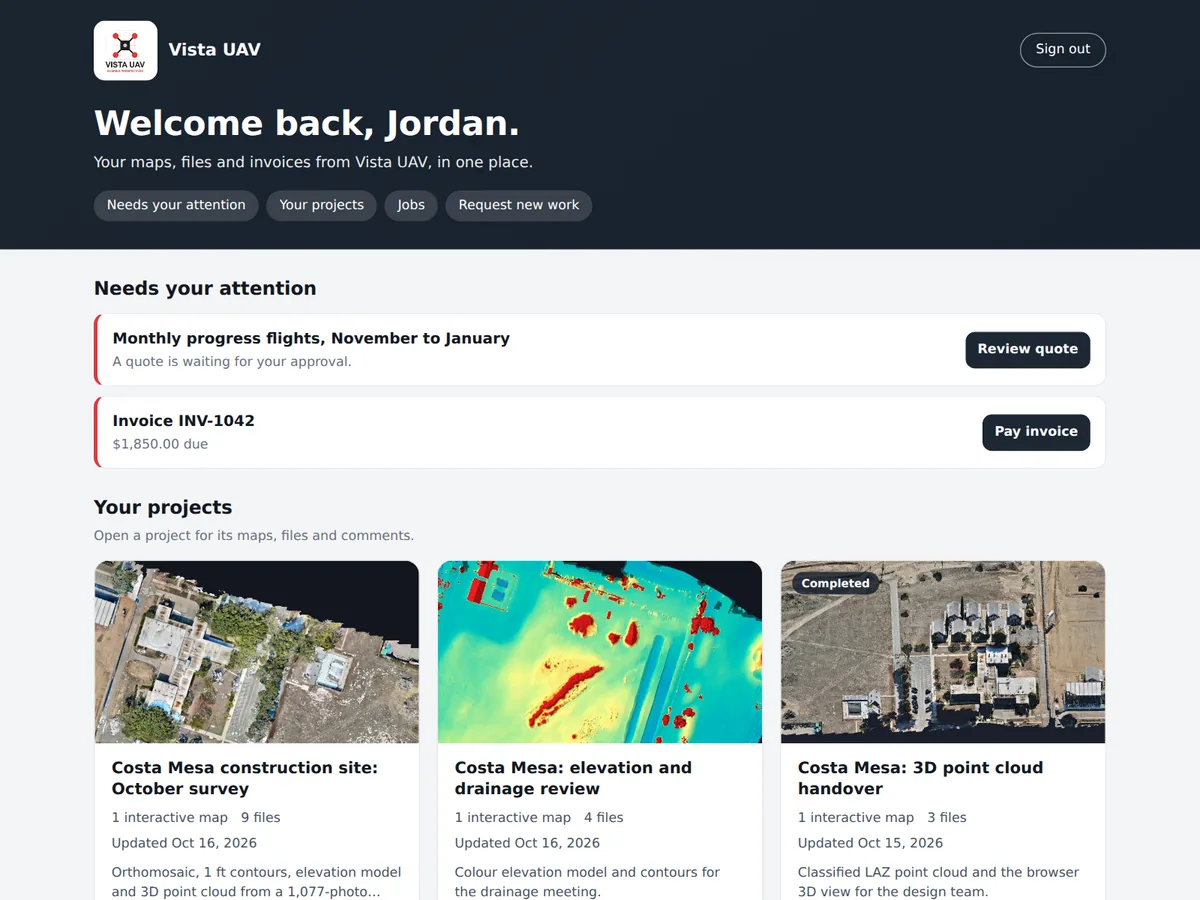
Clients sign in to your branded portal and land on their projects, each with a picture and a View map button. They review the maps in a browser and leave comments, with no GIS software to install.

  • Your branded client home page
  • Browser-based viewer
  • Client comments
A client's portal home page, branded with the pilot's logo: a welcome, a quote and an invoice that need the client, and a card per Costa Mesa project with its map picture and View map and Open project buttons.

Upload. Process. Review. Deliver.

Free never runs out. No card required. Try Pro free for 14 days, or 30 days with a card. Create your account and run the whole business from one login.