Solar farm inspection

Fly solar sites on a repeatable template and deliver from one portal.

Plan solar flights from a reusable template, fly each block, process the maps with SkyPLX-9 and deliver them through one client portal, with every site on one record.

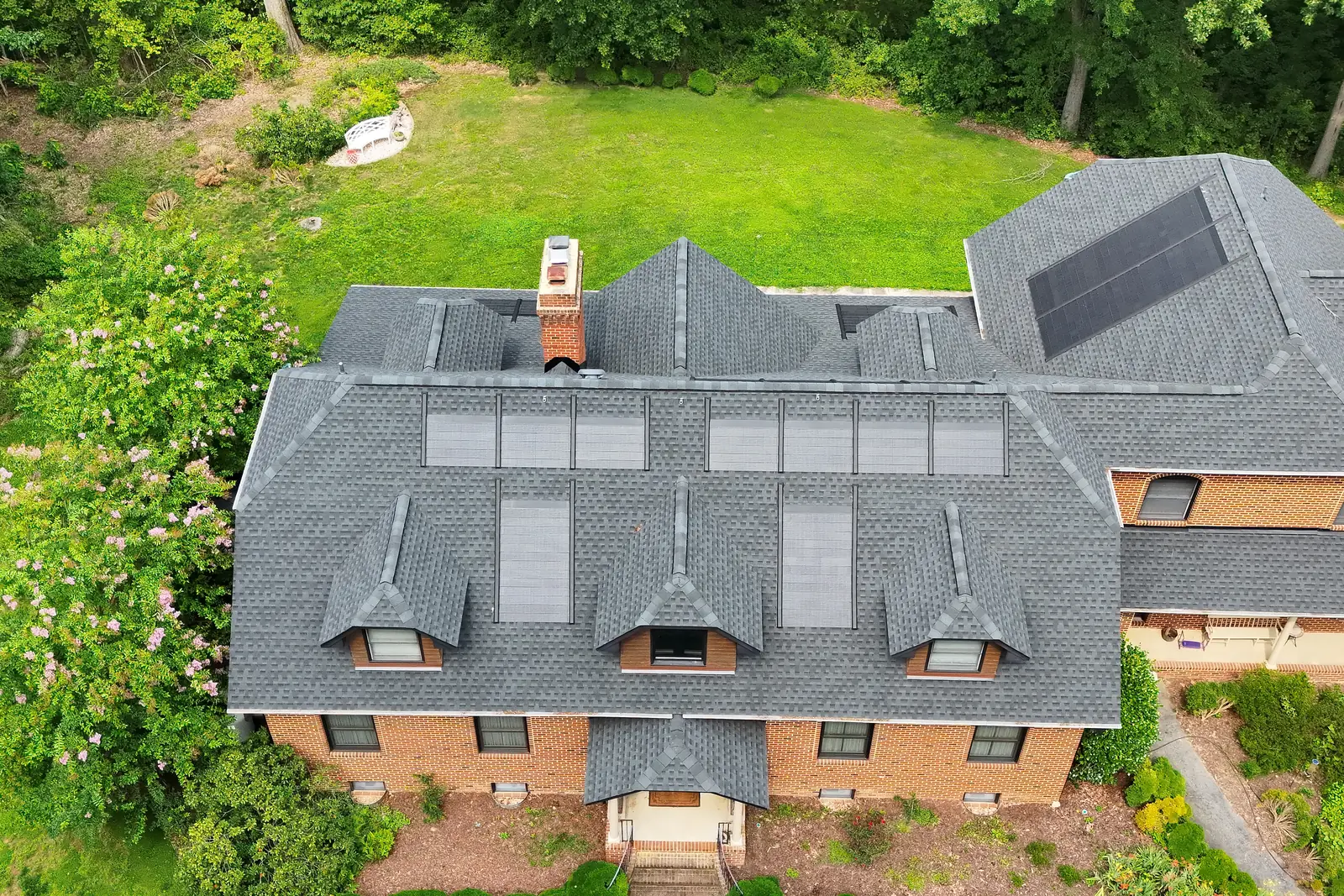
A brick house from the air, with a row of solar panels on one roof face and skylights on the other.
A rooftop solar job flown by Vista UAV.

What you ship to your client

3 cm/px
Template target GSD
60m AGL mission template
Prepared maps
Survey → Client portal
Review processing outputs before sharing

Mission templates

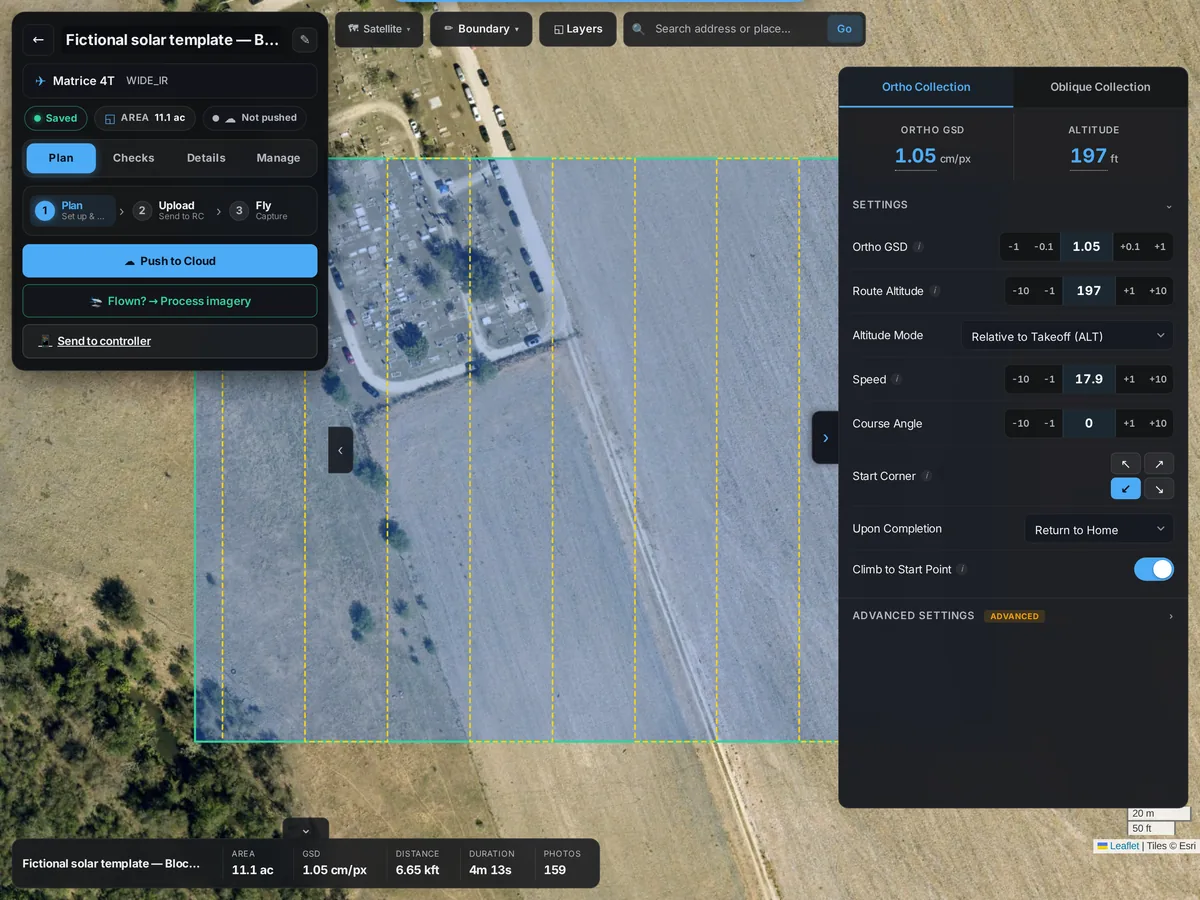
Solar farm — M4T thermal capture template

Apply the M4T solar-farm template, review its capture settings, and send the wayline to the DJI Pilot 2 Cloud library or export KMZ. Check camera settings on the controller before flying.

  • Wide+IR dual-capture profile
  • 60m AGL · 3 cm/px target
  • Pre-flight controller checklist
SkySuite flight planner: a Matrice 4T wide and IR solar-block mission at 197 ft (60 m) with its flight lines over satellite imagery and the capture settings panel.

Thermal capture

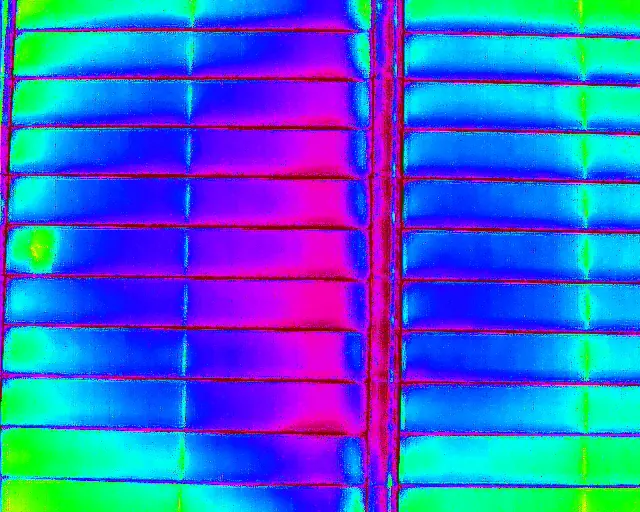
The warm cell shows up from the air

Fly the IR pass and upload the thermal and visual photos to the mission, so they stay with the job. A warm cell or a dead string stands out against the rest of the array; your thermographer makes the call.

  • Thermal and visual photos kept with the mission
  • One record per site visit
A thermal drone image of a rooftop solar array: rows of panels in blue and green, with one warm cell showing yellow at the left edge.

Cloud processing

Orthomosaic + DSM, processed in the cloud

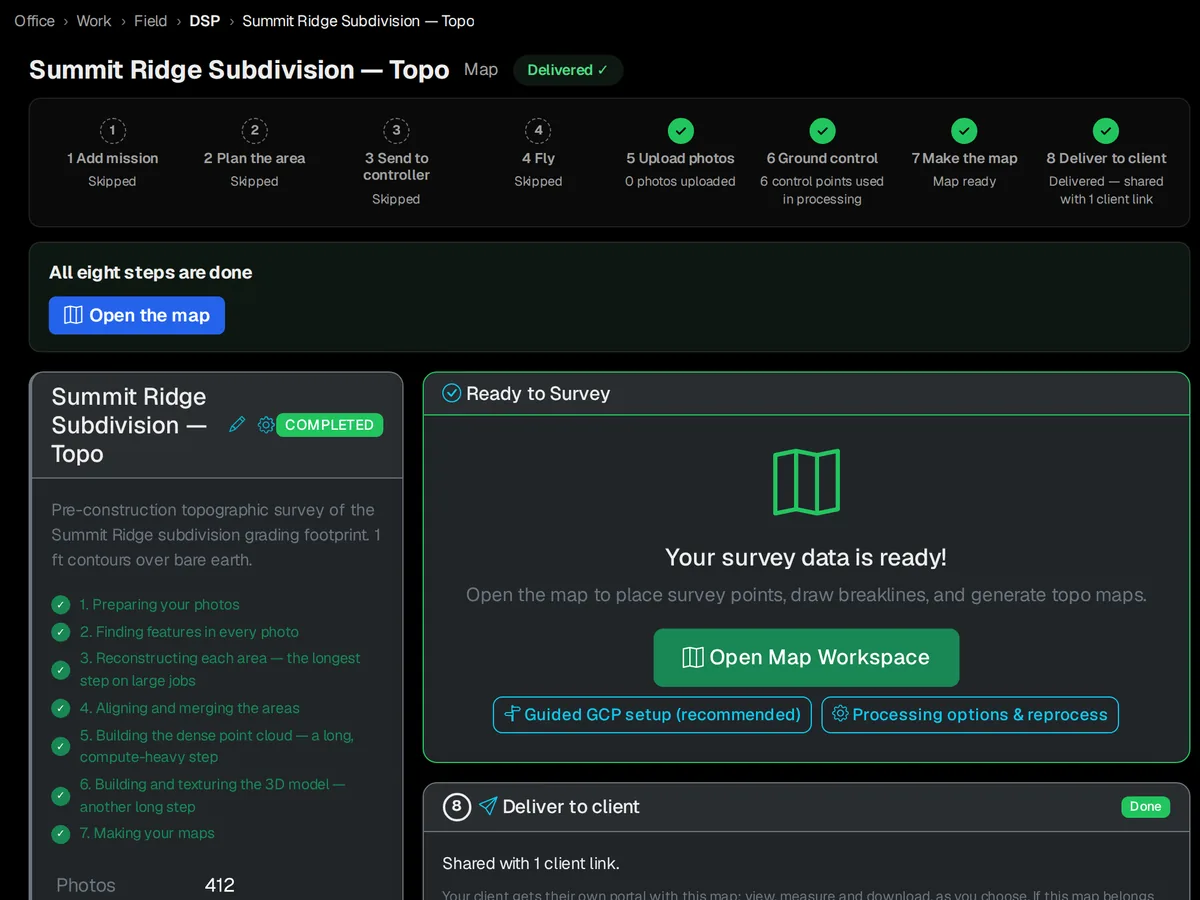
Upload suitable photos and start a processing job. Review the orthomosaic and DSM when the run completes. Processing uses credits per job, with an ETA shown during the run.

  • Orthomosaic + point cloud
  • Per-site DSM
  • Cloud processing
A SkySuite survey project after processing: every job step done, the seven processing stages checked off, and Open Map Workspace, guided GCP setup and processing options.

Auto-package to delivery

Share the survey map in a client portal

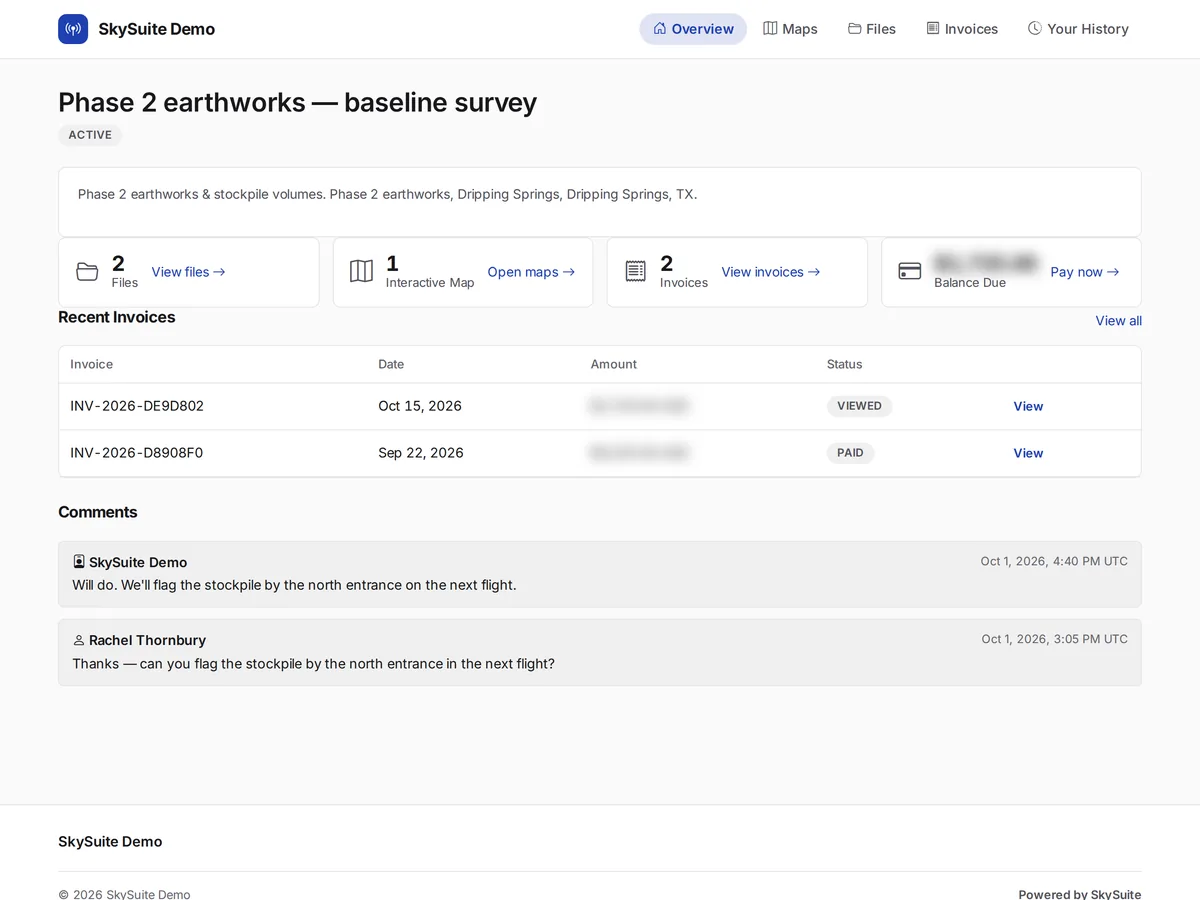
Share the completed survey map through the client portal. Your client opens the map, the files and the invoice from one link.

  • Survey map sharing
  • Client portal link
The client delivery portal: a baseline survey package with its files, interactive map and invoices, a teammate invite and project comments.

Every block, one project

One mission per block, each with its next step

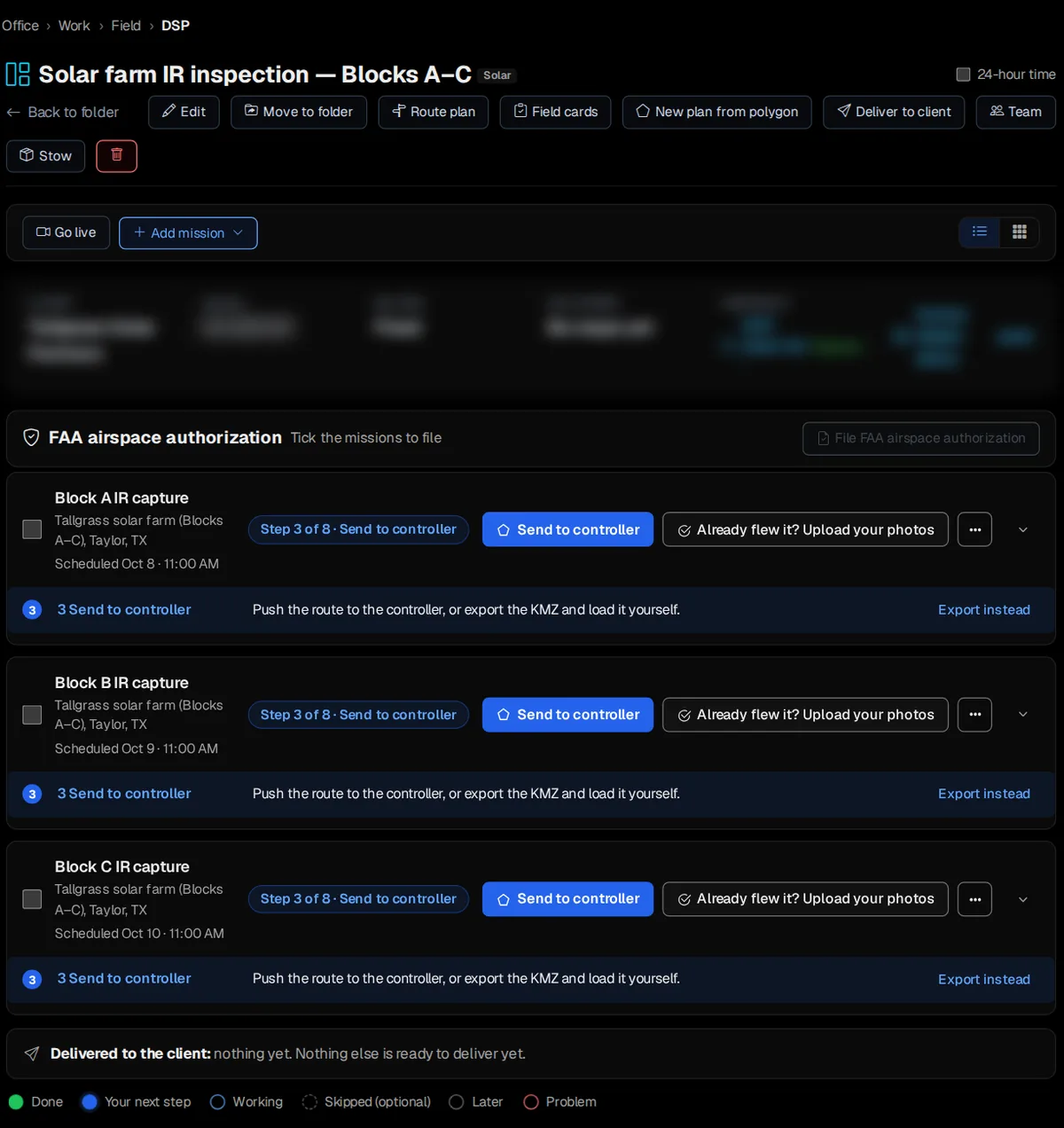
Split the farm into blocks and give each its own IR-capture mission on the project in Office › Work › Field › DSP. Each block shows its date and the step it is on, so you know which to send to the controller next.

  • One mission per block, scheduled by date
  • Send to the controller or export the KMZ
  • Client delivery on the same project
The demo project Solar farm IR inspection — Blocks A–C: an IR-capture mission for each block, scheduled on October 8, 9 and 10, each ready to send to the controller, with the client delivery below.

Stop hand-stitching solar deliverables.

Free never runs out. No card required. Try Pro free for 14 days, or 30 days with a card. Plan your next solar block today, or book a demo and we'll walk through a solar job with you.

Comparing plans? See plans & pricing.