Service providers

Run a multi-pilot drone shop without losing your weekends to ops.

Assign pilots and crews, keep every job on one schedule, invoice the client and keep contractor records in one place.

Four real jobs from the air: a pilot and survey gear on a graded construction pad, a commercial building at sunrise, a residential cul-de-sac at dusk, and traffic at a city intersection.
Four real jobs from the air, from Vista UAV's own footage.

Dispatch

Right pilot, right job, right gear

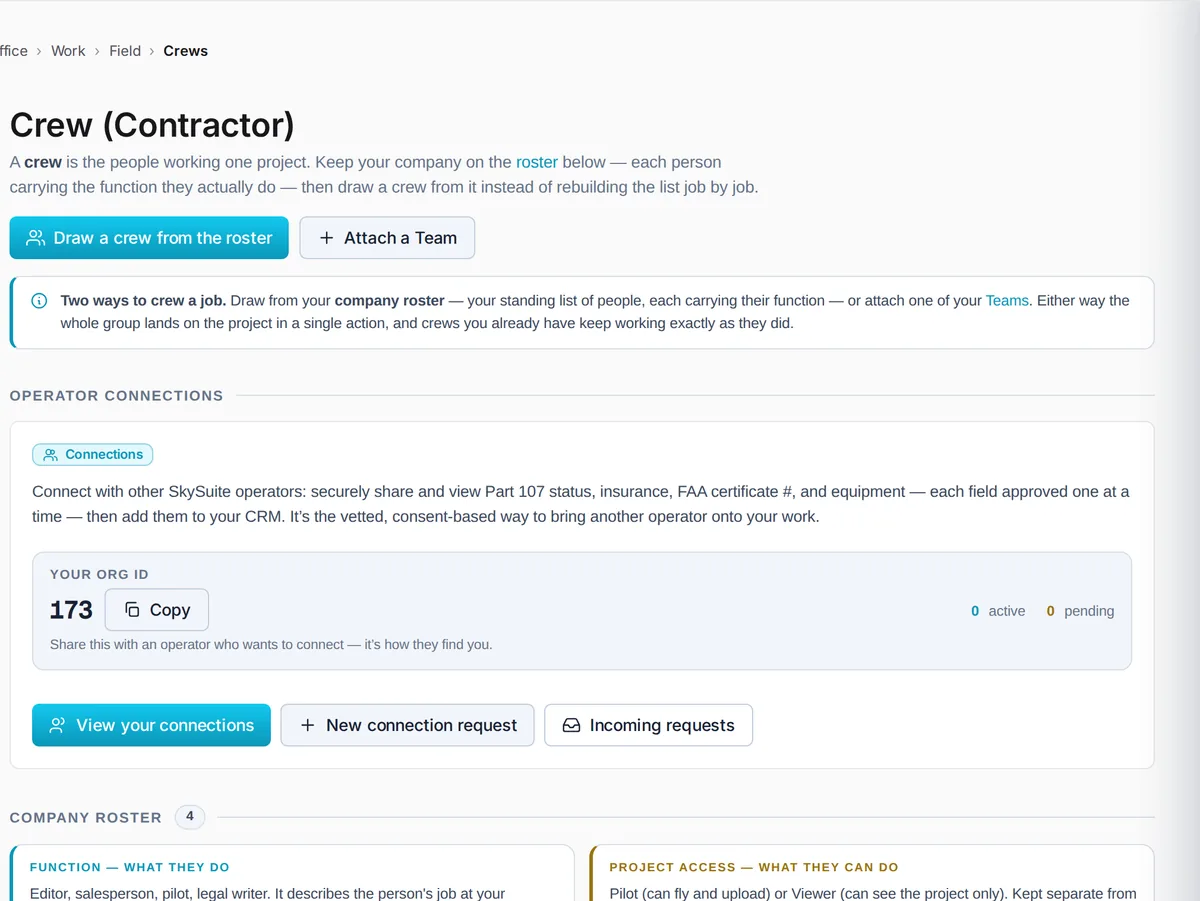
Build a crew for each job from your roster in Office › Work › Field › Crews, assign missions to the pilots on it, and see who is flying what. You choose the people and equipment that suit the work.

  • Crews drawn from your roster, one per job
  • Missions assigned to named pilots
  • Status for every crew at a glance
SkySuite active crews: each project's crew drawn from the company roster, with its status, the pilots flying and the missions assigned.

In the field

Every pilot sees their own jobs

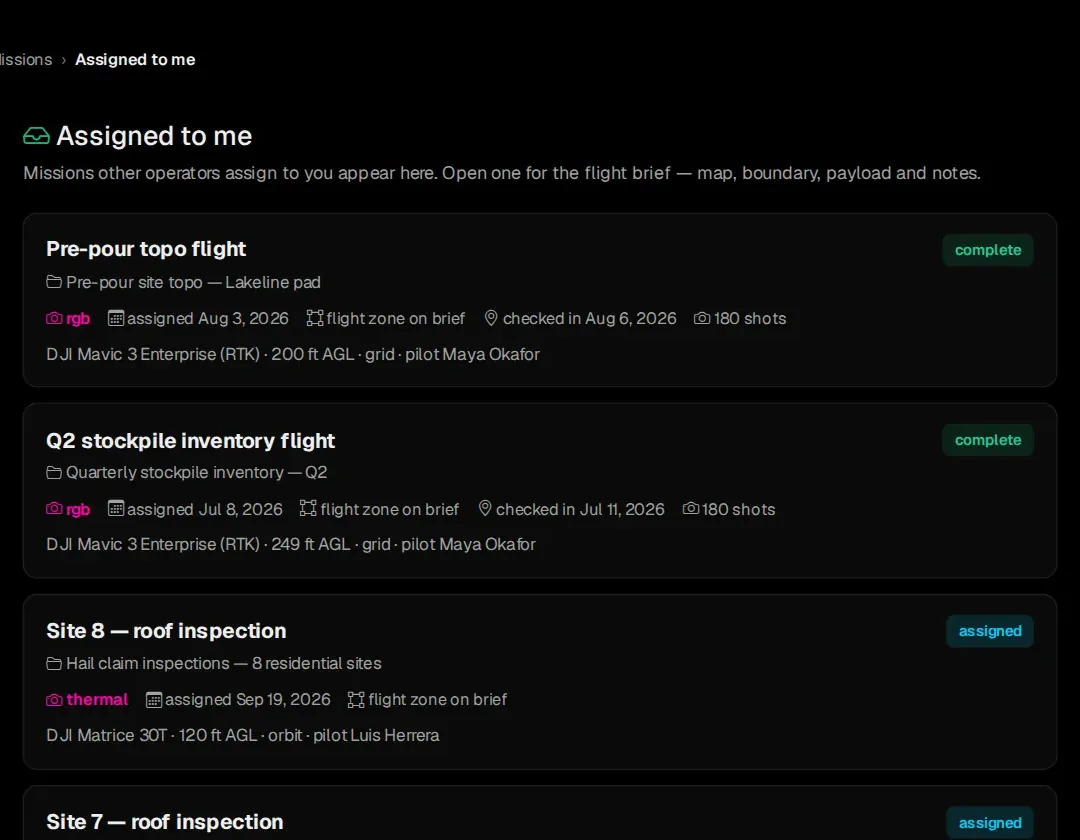
Missions you assign show up for that pilot in Field › Missions › Assigned to me, with the site, the aircraft, the altitude and the flight brief. Nobody has to ask the office where they're going tomorrow.

  • Assigned missions on the pilot's own list
  • Site, aircraft and capture settings on each one
  • Flight brief one tap away
Field › Missions › Assigned to me: a pilot's assigned roof inspections and topo flights, each with its project, capture type, assignment date, aircraft, altitude and pilot.

Looking for a drone pilot?

Tell us about the job.

Need a roof inspected, a site mapped or a property filmed? Send us where it is, what you need delivered and when. A person reads every request and replies by email with the next step.

  • The location and the kind of job
  • What you need back (photos, video, a map, a report)
  • Your dates and any site access rules
Job requests come to us by email for now. Clients can't post jobs on SkySuite directly yet.

Scheduling

Every job on one calendar

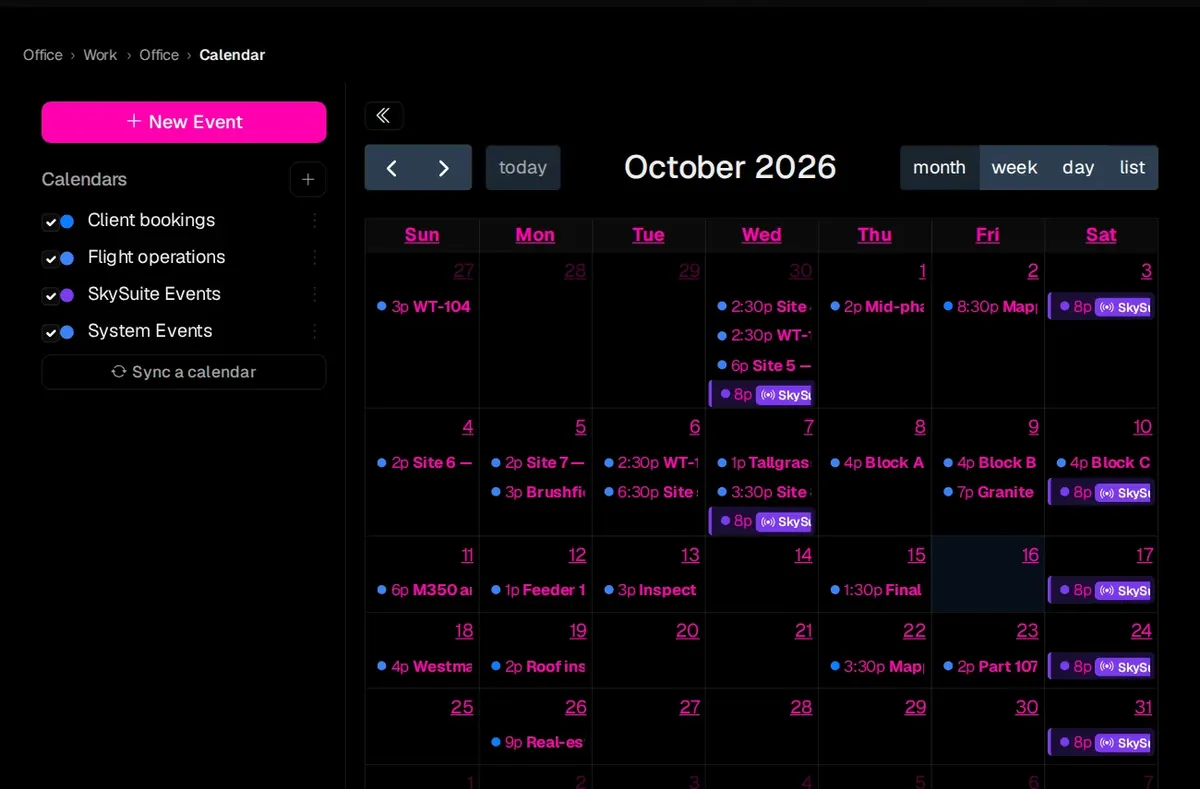
Client bookings, flight operations and your own events share one calendar in Office › Work › Office › Calendar, so the whole crew can see the month at a glance.

  • Bookings, flights and events together
  • Month, week, day and list views
  • Google Calendar sync
SkySuite calendar for October 2026: client bookings, flight operations and SkySuite events across the month, from tower orbits and roof inspections to block captures.

Centralized billing, distributed pay

Customer invoices and contractor payment records

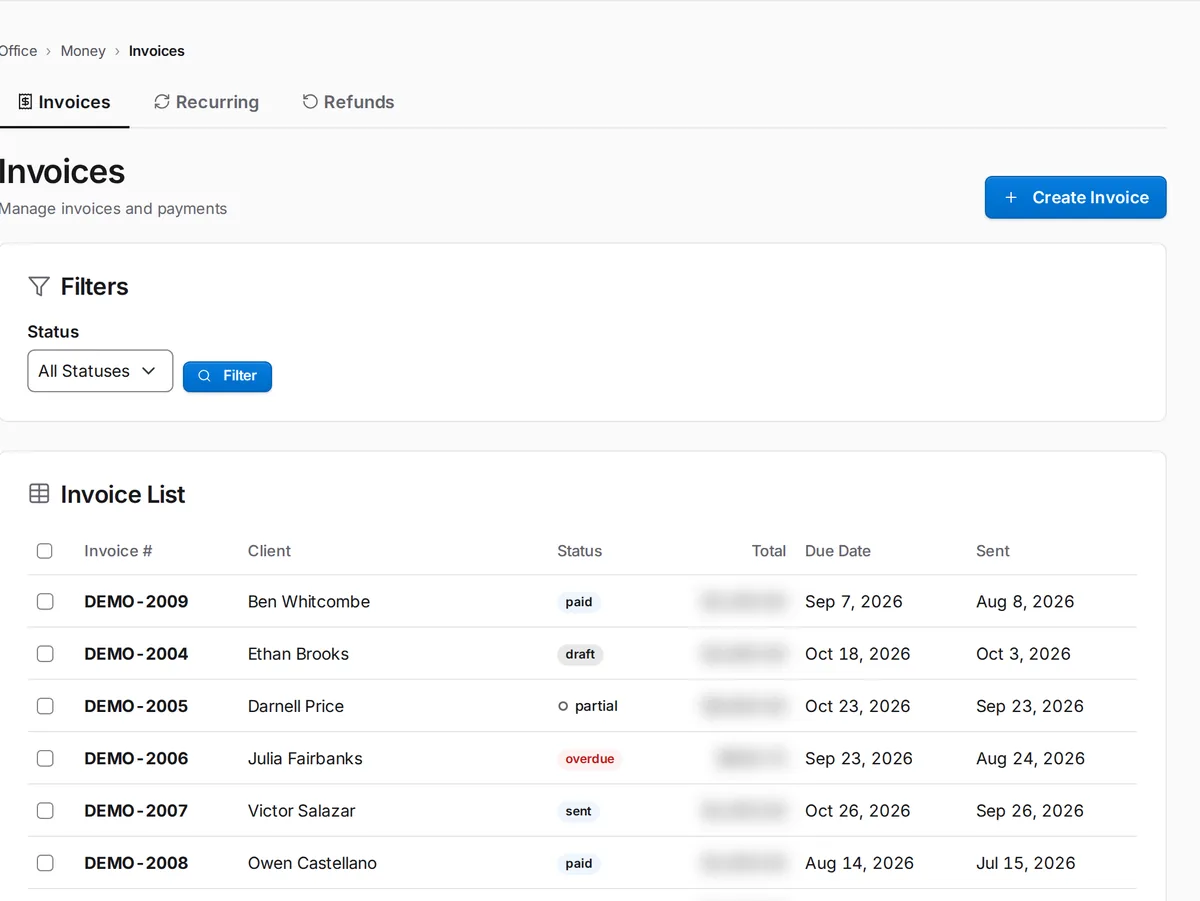
Create invoices from jobs and record contractor payments in your books. Review and arrange payments through your chosen process.

  • Job-linked invoices
  • Contractor payment records
SkySuite invoice list: invoices by client with draft, sent, viewed, partial, overdue and paid statuses, totals and due dates.

Crew + sub-contractor management

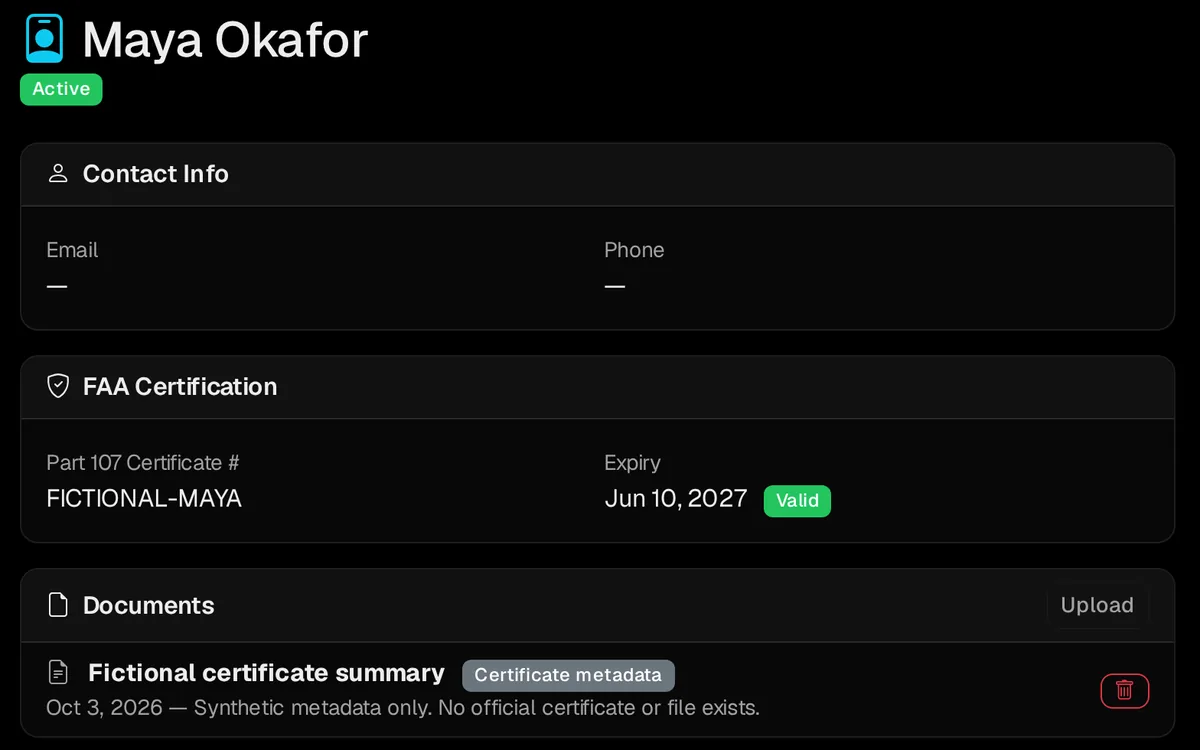
Keep crew documents together

Keep contractor documents with the crew record and review them before assigning work. The operator remains responsible for checking qualifications, coverage and expiration dates.

  • Contractor documents
  • Crew records
SkySuite pilot record: Part 107 certificate number and expiry with a Valid badge, and a Documents list holding a certificate summary for the pilot.

Marketplace

Share overflow work with other pilots

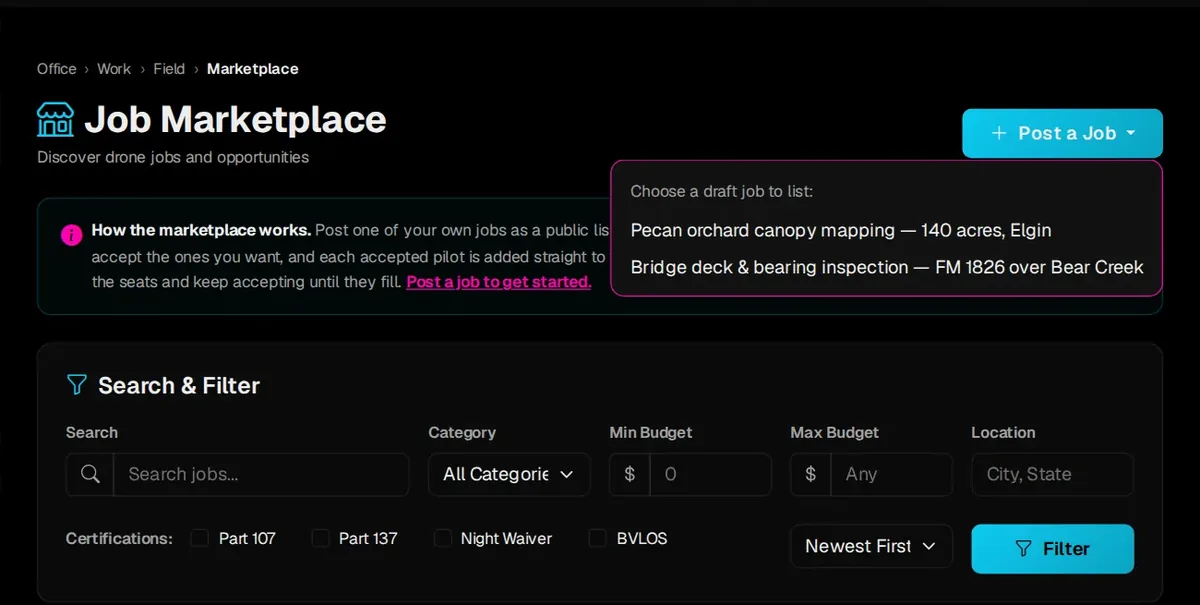
Too much work for your crew? Post one of your jobs in Office › Work › Field › Marketplace. Other SkySuite pilots bid on it, and each pilot you accept joins the job's crew.

  • Post a job from your own job list
  • Review bids and accept the pilots you want
  • Accepted pilots join the crew on that job
SkySuite Job Marketplace: Post a Job lists your draft jobs to publish, with search and filters by category, budget, location and certifications.

Run a calm operation.

Free never runs out. No card required. Try Pro free for 14 days, or 30 days with a card. Put your next job, crew and invoice on one record. Running a bigger team? Book a demo and we'll walk through crews and dispatch with you.

Comparing plans? See plans & pricing.