Government & defense

Know what's flying over your site.

A SkyRadar ground station picks up aircraft and broadcasting drones near your facility, and SkySuite puts them on a live map with a log of every contact. Plan your own flights and keep their records in the same place.

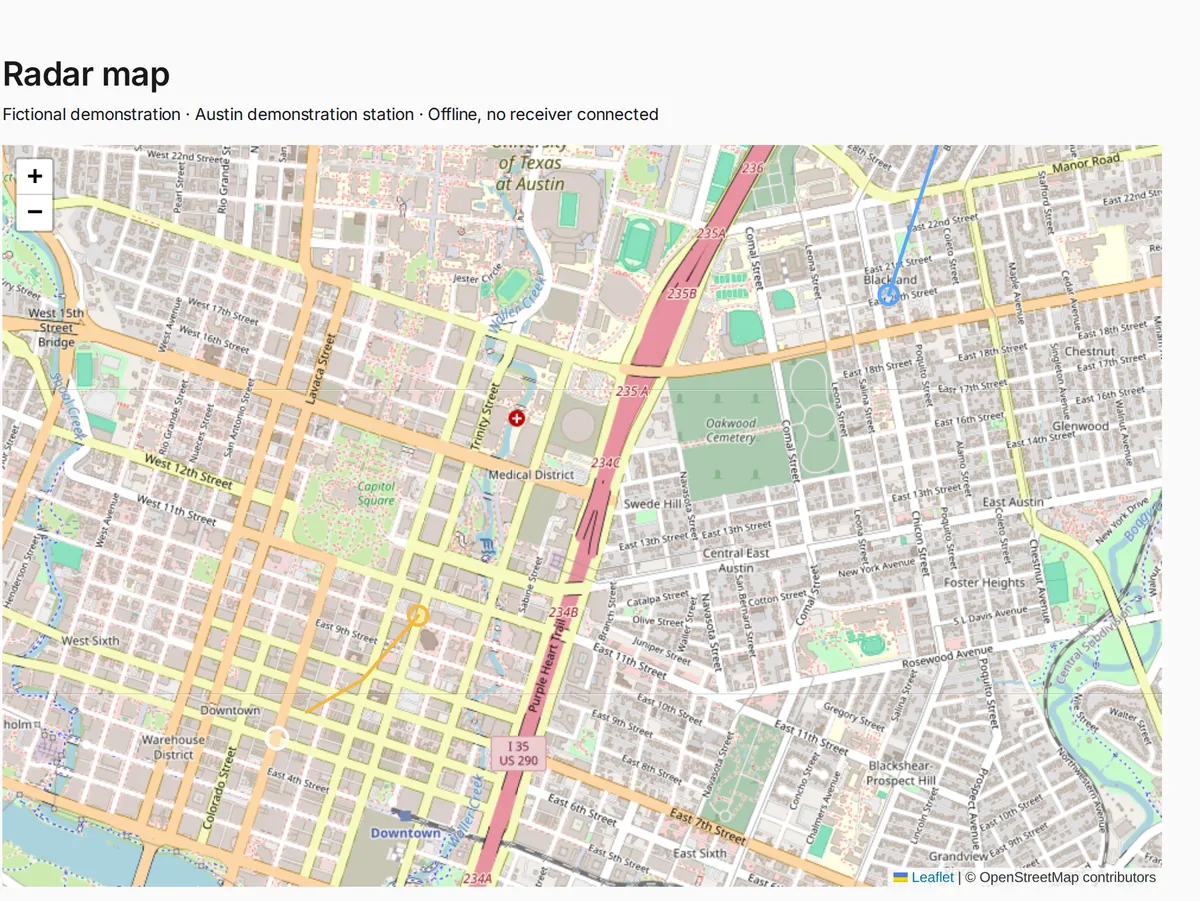
SkySuite radar map from a demonstration station: an ADS-B aircraft and a Remote ID drone with their tracks over a street map, listed below with altitude, speed and time.
Radar Map with a demonstration station's sample contacts.

A day with SkyRadar

A drone shows up over the perimeter.

Here is what that looks like with a SkyRadar station on site.

  1. The station listens. A SkyRadar ground station at the facility receives ADS-B from crewed aircraft and WiFi and Bluetooth Remote ID broadcasts from drones nearby.
  2. A contact appears. Field › Tools › Radar › Radar Map shows the drone's broadcast position and track as the station receives it, next to any aircraft in the area.
  3. Your team checks it. The altitude, speed and time of each contact are on screen, so the person on duty can decide what to do under your own procedures.
  4. The record stays. Radar History keeps every contact the station logged, so you can review the day or hand the details to the people who handle it.

What it covers: aircraft and drones broadcasting ADS-B or Remote ID within range of a connected station, as an awareness picture your team acts on under its own procedures.
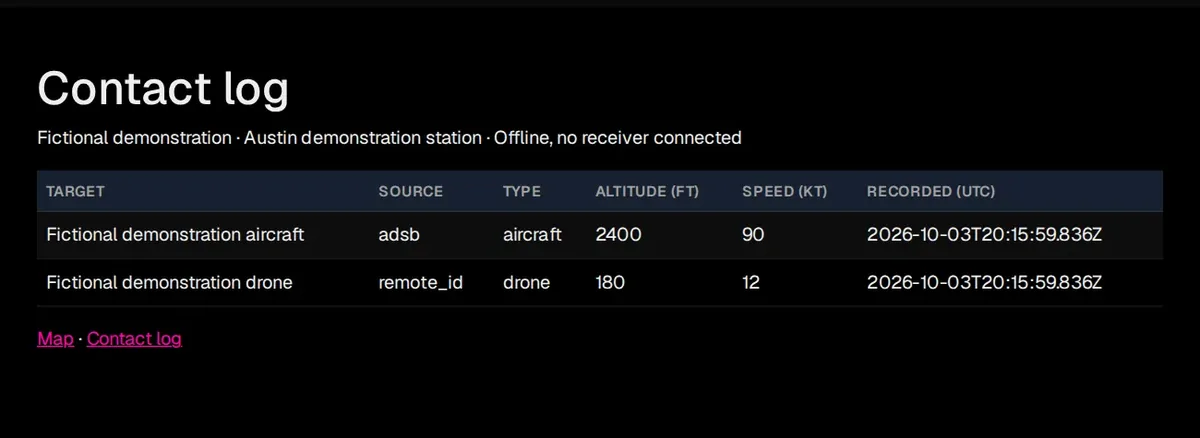
SkySuite Radar History contact log from a demonstration station: one ADS-B aircraft and one Remote ID drone, each with its source, type, altitude, speed and the time it was recorded.

Your own flights

Plan the routes your team flies

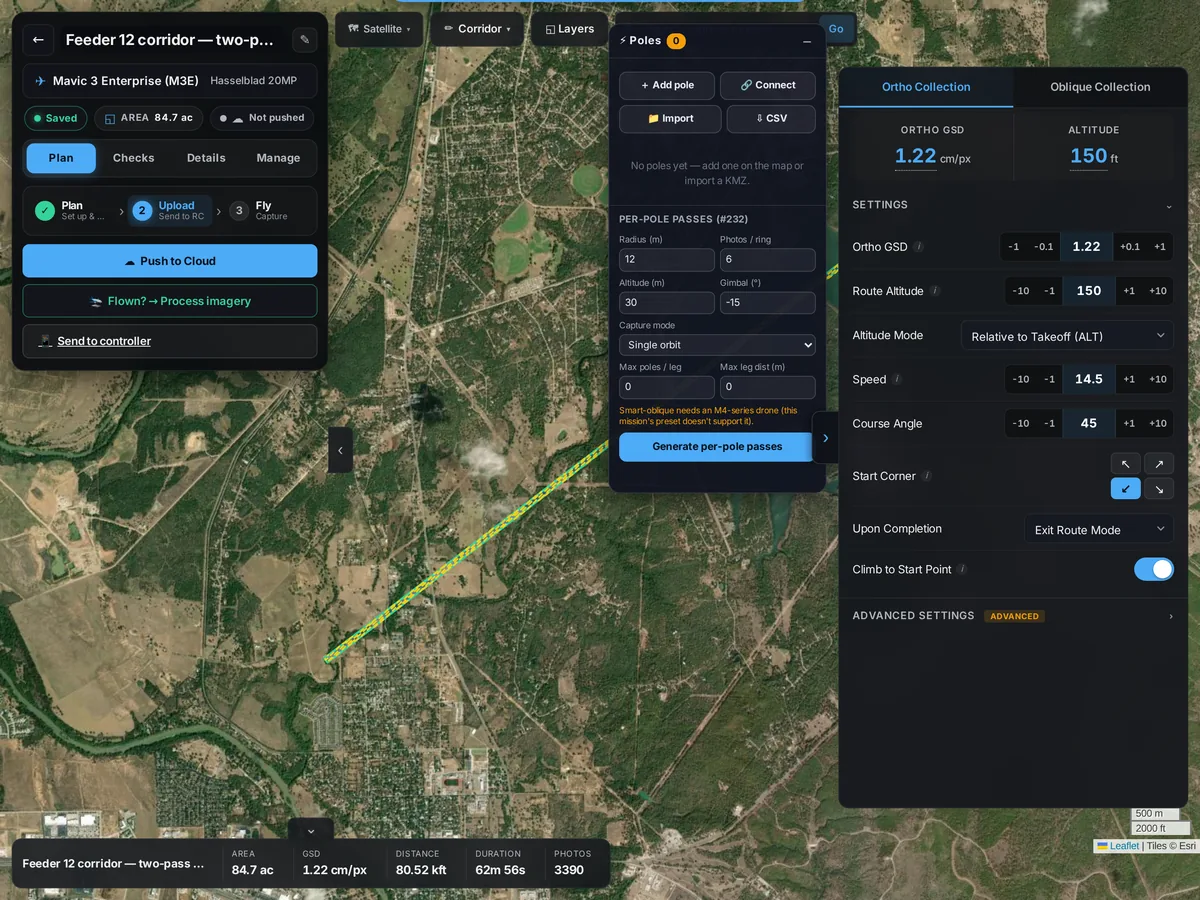
Draw the route over satellite imagery in the flight planner and set altitude, speed and image resolution before anyone launches. Send it to the controller, and keep the plan with the mission so the next crew flies the same line.

  • Routes drawn over satellite imagery
  • Altitude, speed and image resolution set in advance
  • Plans saved with the mission
SkySuite flight planner: a planned 4.2-mile distribution-corridor route over satellite imagery, with its route altitude, speed and GSD settings.

Flight records

Every flight on the record

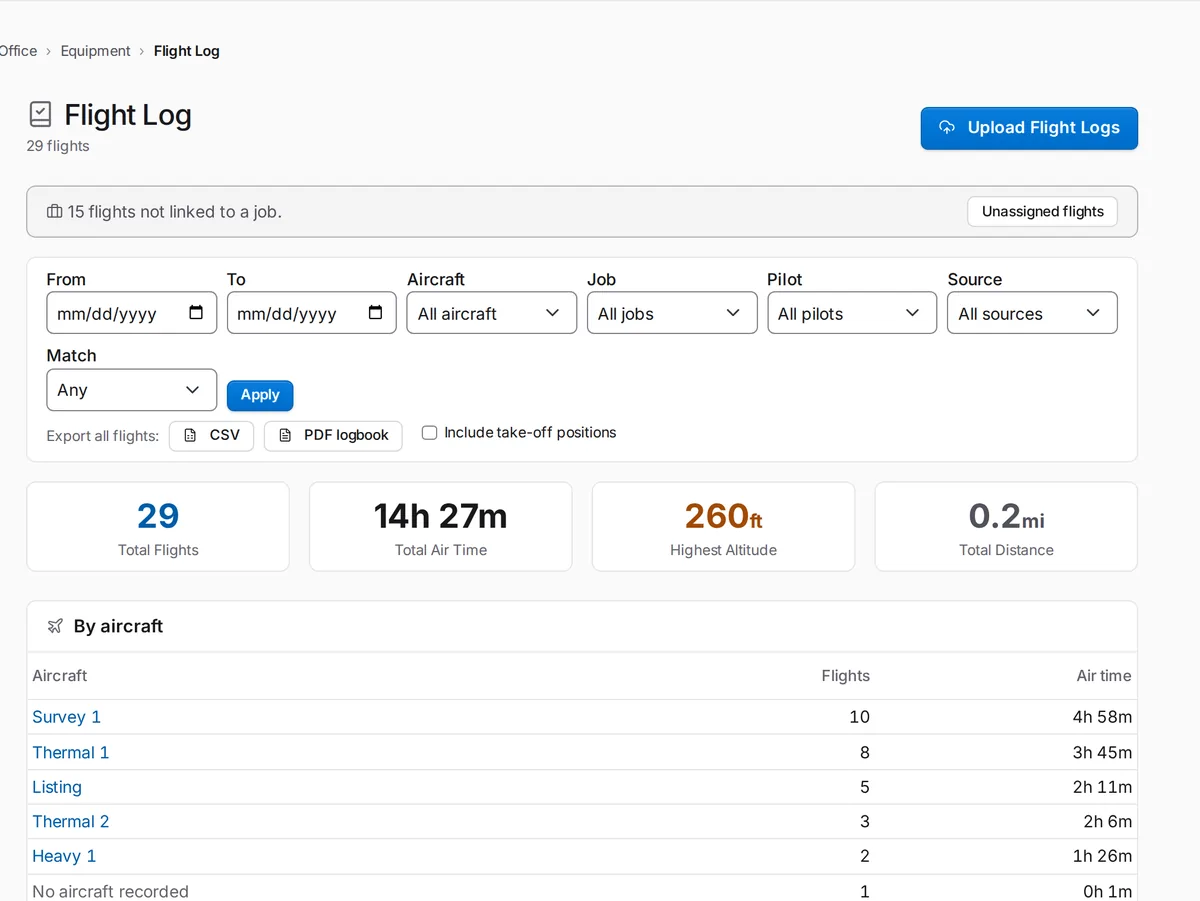
Upload your DJI flight logs in Office › Equipment › Flight Log and see flights and air time by aircraft and pilot. Export a CSV or PDF logbook when someone asks for it.

  • Flights by aircraft and pilot
  • CSV and PDF logbook export
SkySuite Flight Log: 29 flights, total air time, highest altitude and distance, filters by aircraft, job, pilot and source, CSV and PDF logbook export, and air time by aircraft.

SkyRadar for your site

Talk to us about a station.

Tell us about the site you need to watch and the people who will be on duty. We'll tell you plainly what a SkyRadar station will show you there.

See the sky over your site, and keep the record.

Free never runs out. No card required. Try Pro free for 14 days, or 30 days with a card. Plan flights and keep records from day one, or book a demo to see SkyRadar.

Comparing plans? See plans & pricing.